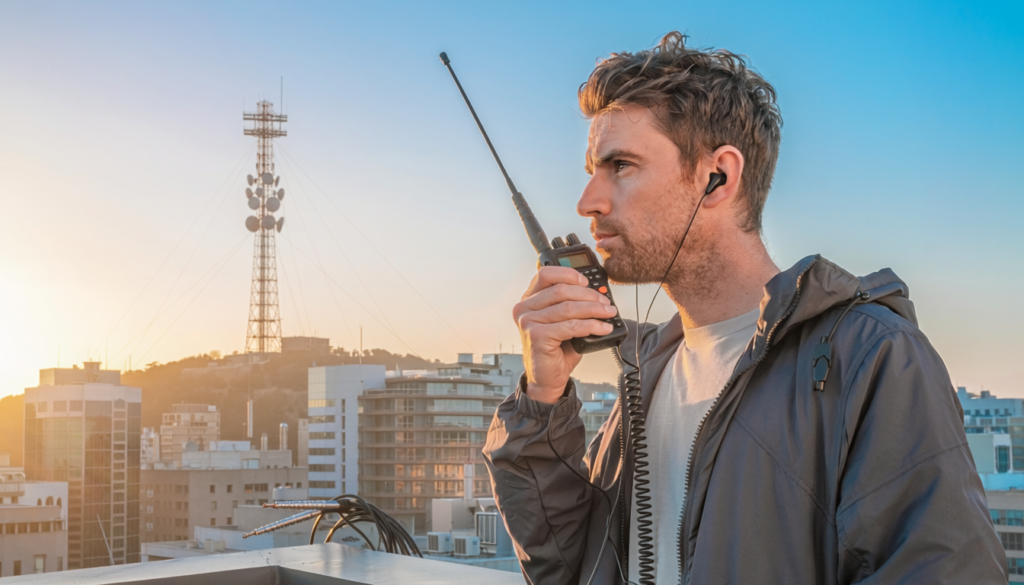
One of the first things new hams discover is this: simplex (radio-to-radio) communication on VHF and UHF has limited range. Maybe a few miles on a good day with a handheld. That’s fine if you’re standing next to your contact — but not very practical.
That’s where repeaters change everything.
📦 Free Video Course – The Top 5 Beginner Ham Radio Frustrations (and How To Overcome Them)
Curious about ham radio but not sure where to start? Our free 5-day course tackles the 5 most common issues you might run into, addressed without any hype, technical jargon or sales pitches.
A repeater takes your signal, amplifies it, and retransmits it from a high location — often a tower on a hill or building. This can extend your communication range from a few miles to 50 miles or more, depending on the repeater and terrain. For new hams, learning to use repeaters is the single fastest way to start making real, consistent contacts in your area.
What Is a Repeater and How Does It Work?
Think of a repeater as a middleman. You transmit on one frequency (the input), and the repeater listens and immediately retransmits your signal on another frequency (the output). Your radio is programmed to do this automatically — you just talk as normal.
The pair of frequencies is called an offset. For example, a repeater might transmit on 146.760 MHz and listen on 146.160 MHz. Most modern radios handle the offset for you once you select the repeater frequency.
Repeaters also often have a CTCSS tone — a sub-audible tone that “opens” the repeater so it only responds to your specific signal. This prevents interference from distant signals on the same frequency. You’ll need to program this tone into your radio as well.
The good news? Once your radio is programmed correctly, using a repeater feels just like talking on a walkie-talkie — except people can actually hear you.
How to Find Repeaters in Your Area
Before you can use a repeater, you need to know what repeaters exist near you. Two resources make this easy:
RepeaterBook.com — The largest free database of repeaters in the US and Canada. You can search by state, county, or your zip code. Each listing shows the frequency, offset, CTCSS tone, location, and what organizations or nets use it. This should be your first stop.
RadioID.net — Primarily a database for DMR and other digital modes, but also a good resource for finding repeaters that support digital operation if you have a DMR-capable radio.
Spend 15-20 minutes on these sites entering your location. Make a list of 3-5 local repeaters. Note their frequencies, offsets, and tones. You’ll need all three to program your radio.
How to Program Your Radio for Local Repeaters
Programming a radio for repeaters involves entering the correct frequency, offset, and CTCSS tone into your radio’s memory channels. The exact steps depend on your radio model, but check out our guide for the Baofeng UV-5R as an example.
Many ham radio operators use programming cables and software tools to make this easy. Others prefer manual entry — typing frequencies directly into the radio’s menu. Both work fine.
If you’re not sure how to program your specific radio, look for the user manual online or check YouTube for tutorials for your exact model. Programming is a one-time setup task — once it’s done, you won’t need to do it again unless you add new repeaters.
For more detail, see our programming guides on the site — each radio is a little different, but the core concepts are the same.
Basic Repeater Etiquette
Repeaters are shared resources used by many people. A few simple rules keep things civil:
- Identify yourself. FCC rules require you to state your callsign at the start and end of each transmission, and at least every 10 minutes during a conversation. This isn’t optional — it’s the law.
- Keep transmissions short. Speak for 30 seconds to a minute, then pause and say your callsign. This lets others break in if there’s an emergency.
- Use “CQ” to initiate a contact. If you want to talk to someone but don’t know who’s listening, key up and say “CQ, this is [your callsign].” It’s the ham radio equivalent of “is anyone out there?”
- Listen before keying up. It easy to talk over someone else if you’re not careful, so make sure the repeater isn’t already in use. If it is, wait for a break between transmissions.
- Be patient with interruptions. If someone needs to break in — especially for an emergency — yield immediately. Priority goes to anything involving safety.
Common Mistakes New Hams Make on Repeaters
Here are some of the most common mistakes people make with repeaters. A little knowledge, patience and courtesy will help you avoid these:
- Forgetting the CTCSS tone. If you key up but the repeater doesn’t activate, you probably need to set the correct tone. Check your programming.
- Talking too long without a break. Long, uninterrupted monologues are considered rude on repeaters. Keep it concise. Most repeaters will time out after a few minutes to help enforce this.
- Testing without announcing. Resist the urge to just “test” the repeater by keying up with “testing, testing.” Announce that you’re testing so others know what’s happening.
- Not monitoring before transmitting. Always listen first. If the repeater is busy, wait.
- Assuming everyone knows you’re new. Most hams are friendly and happy to help. If you say “new ham here, just got licensed,” people will often go out of their way to guide you.
- Repeater communication gets easier with practice. The first few times might feel awkward — that’s completely normal. Keep at it, and it’ll become second nature.
Frequently Asked Questions
What is a ham radio repeater and how does it work?
A repeater is a high-location radio station that takes your signal, amplifies it, and retransmits it — extending your range from a few miles to 50+ miles. You transmit on one frequency (the input), and the repeater immediately retransmits on another (the output). Your radio handles this automatically once programmed; you just talk as normal. Most repeaters are mounted on towers, hills, or tall buildings, and many require a CTCSS sub-audible tone to activate, which prevents interference from distant signals on the same frequency.
How do I find repeaters in my area?
Use RepeaterBook.com — the largest free database of US and Canadian repeaters. Search by state, county, or zip code to find each repeater’s frequency, offset direction, CTCSS tone, location, and what nets use it. For digital repeaters (DMR, etc.), RadioID.net is also helpful. Spend 15–20 minutes making a list of 3–5 local repeaters — you’ll need their frequency, offset, and tone to program your radio.
What is an offset and a CTCSS tone?
An offset is the difference between a repeater’s input and output frequencies. Your radio automatically handles the offset once you select the repeater frequency — most modern radios set this for you. A CTCSS tone is a sub-audible signal that “opens” the repeater so it only responds to your transmission, keeping interference from distant signals out. Both the correct offset direction (+ or -) and the right CTCSS tone must be programmed into your radio for the repeater to work.
How do I program my radio for local repeaters?
Enter the repeater’s frequency, offset direction, and CTCSS tone into your radio’s memory channels — either through computer software (like the free CHIRP program, recommended) or manually via the radio’s keypad. The exact steps vary by model; check your user manual or YouTube for tutorials specific to your radio. Programming is a one-time setup — once done, you won’t need to repeat it unless you add new repeaters.
What is basic repeater etiquette?
Five rules keep repeater use smooth: Identify yourself — state your callsign at the start and end of each transmission, and at least every 10 minutes (FCC requirement, not optional). Keep transmissions short — speak 30 seconds to a minute, then pause and say your callsign so others can break in. Use “CQ” to call — say “CQ, this is [your callsign]” to initiate a contact. Listen before keying up — never interrupt an active conversation. Yield for emergencies — always step aside if someone signals an emergency.
Why isn’t my repeater activating when I key up?
Most likely cause: a missing or incorrect CTCSS tone. If the repeater doesn’t open, double-check the correct tone in your programming. Also verify you’re on the right input frequency with the correct offset direction (+ or -). If it still doesn’t respond, check whether the repeater is in use or whether you’re outside its coverage area.
What are the most common mistakes new hams make on repeaters?
Four mistakes to avoid: Forgetting the CTCSS tone — the #1 reason a repeater won’t activate. Talking too long without a break — long uninterrupted transmissions are considered rude; most repeaters time out after a few minutes. Testing without announcing — don’t just key up with “testing, testing”; tell people what you’re doing. Not monitoring before transmitting — always listen before keying up to avoid talking over someone.
How do I make my first contact on a repeater?
Listen for a few minutes to get a feel for the conversation style and check that the repeater isn’t busy. When it’s clear, key up and say: “CQ, this is [your callsign].” Keep your first transmission short — something like “CQ, this is KD0JYV, new ham, looking for a contact.” If no one responds, wait a few minutes and try again. Your first contact will feel awkward — that’s completely normal. Every ham operator you hear was once exactly where you are.
Using a repeater for the first time can feel awkward — and that’s completely normal. Every ham radio operator you hear on the air was once exactly where you are right now: figuring out which frequency to program, why the repeater wasn’t responding, and whether anyone was actually listening. The difference between someone who gets on the air and someone who doesn’t is usually just a little bit of practice and a willingness to key up. Your first contact will feel strange. Your second one will feel slightly less strange. By your fifth or sixth contact, it’ll start to feel natural. And once it does, you’ll wonder why you waited so long.
If you’re serious about getting licensed and getting on the air with confidence, the Tech+General Accelerator course walks you through everything you need to pass both exams on the same day – go from zero to accessing the global HF bands in one shot. Find it at hamradiolaunchpad.com/license.
Join thousands of new hams who are confidently getting on the air. This practical video series gives you clear solutions to the most common beginner challenges — 100% free with instant access.
Affiliate Disclaimer
Keep in mind that we may receive commissions when you click our links and make purchases. However, this does not impact our reviews and comparisons. We try our best to keep things fair and balanced, in order to help you make the best choice.
As an Amazon Associate, we earn from qualifying purchases.